
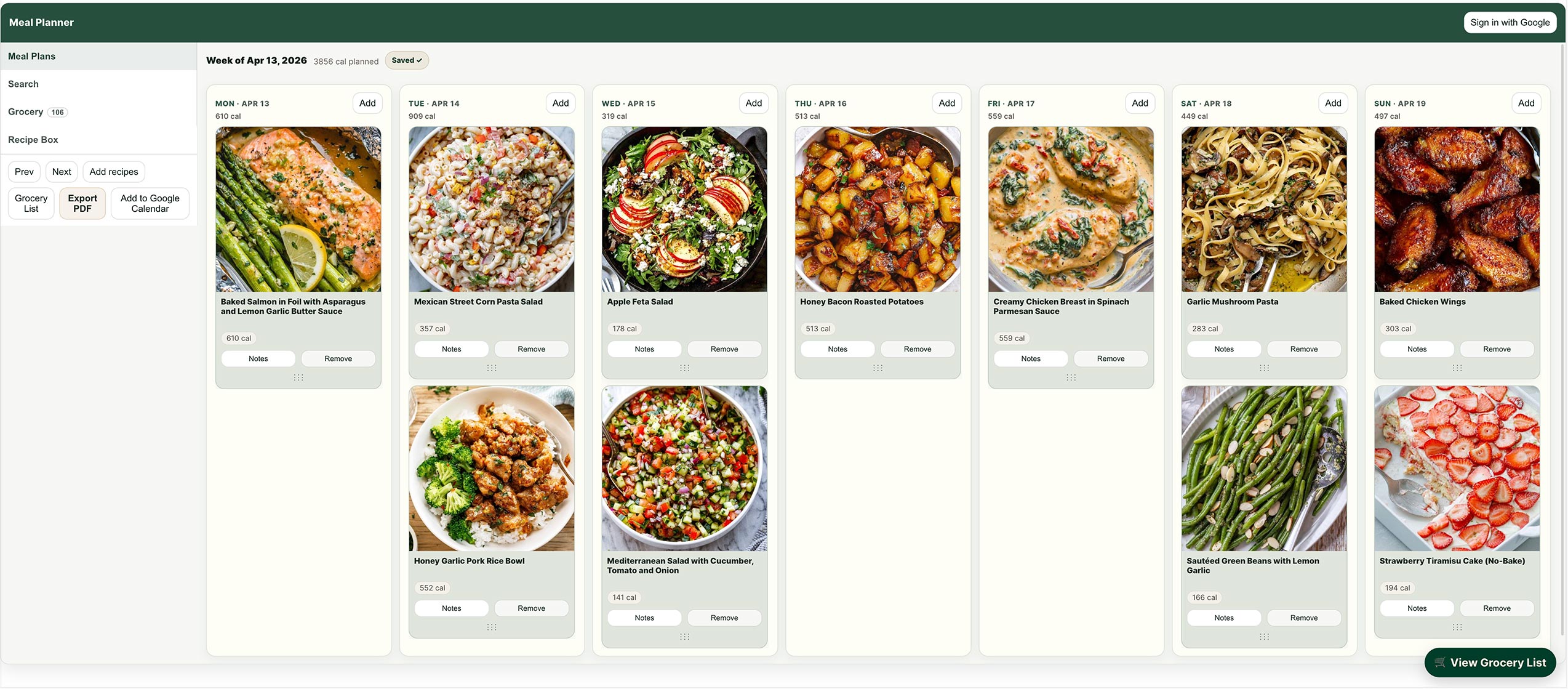
Meal Planner That Syncs With Google Calendar
Plan your weekly meals in minutes and instantly add them to your calendar — no spreadsheets, no manual entry.
Plan your week → Export to Google Calendar in seconds
Works with Google Calendar and iPhone (iCloud)
Stop juggling recipes, notes, and your calendar
Most meal planning systems live in a vacuum — your recipes are in one place, your grocery list in another, and your schedule somewhere else entirely.
That’s why meal planning doesn’t stick.
With our meal planner, your weekly meals become part of your real schedule.
- Add recipes to your week
- Organize your meals visually
- Export everything directly to your calendar
No duplication. No friction.
How to add your meal plan to Google Calendar
1. Build your weekly plan
Add recipes to each day in seconds.
2. Click “Export to Calendar”
Your meals are converted into calendar events.
3. View your meals in Google Calendar
See exactly what to cook — right when you need.
Why plan meals inside your calendar?
- 📅 See your meals alongside your real schedule
- 🧠 Reduce daily “what’s for dinner?” decisions
- 🛒 Stay aligned with your grocery list
- 👨👩👧👦 Share your plan with family members
- 📱 Access your meals on any device
A simpler alternative to spreadsheets and apps
You could build a meal planning system manually in Google Calendar.
But it takes time — and it breaks quickly.
This tool does it for you automatically:
- No templates to manage
- No recurring event setup
- No copy-pasting recipes
Just plan → export → done.
Also works with iPhone and iCloud Calendar
Prefer using your iPhone calendar?
Your meal plan can also be exported to Apple Calendar (iCloud), so your meals stay synced across all your devices.
Start planning your week
Build your weekly meal plan and send it to your calendar in seconds.
Try it – It’s free.
Frequently asked questions
Q: Can I use this with Google Calendar?
Yes — you can export your weekly meal plan as calendar events and import them into Google Calendar instantly.
Q: Does this work on iPhone?
Yes — it also works with Apple Calendar (iCloud).
Q: Do I need to create an account?
You can start planning immediately. Optional login lets you save your plans and share them across your devices.
Q: Can I share my meal plan?
Yes — once in your calendar, you can share it like any other calendar.
